Guide · 6 min read
Frameworks you can pick when you create a project
This guide covers the frameworks SpinBuild supports as of October 20, 2026 — Next.js, React, Vue, Svelte, Astro, Express, and more at spinbuild.ai.
 Team SpinBuild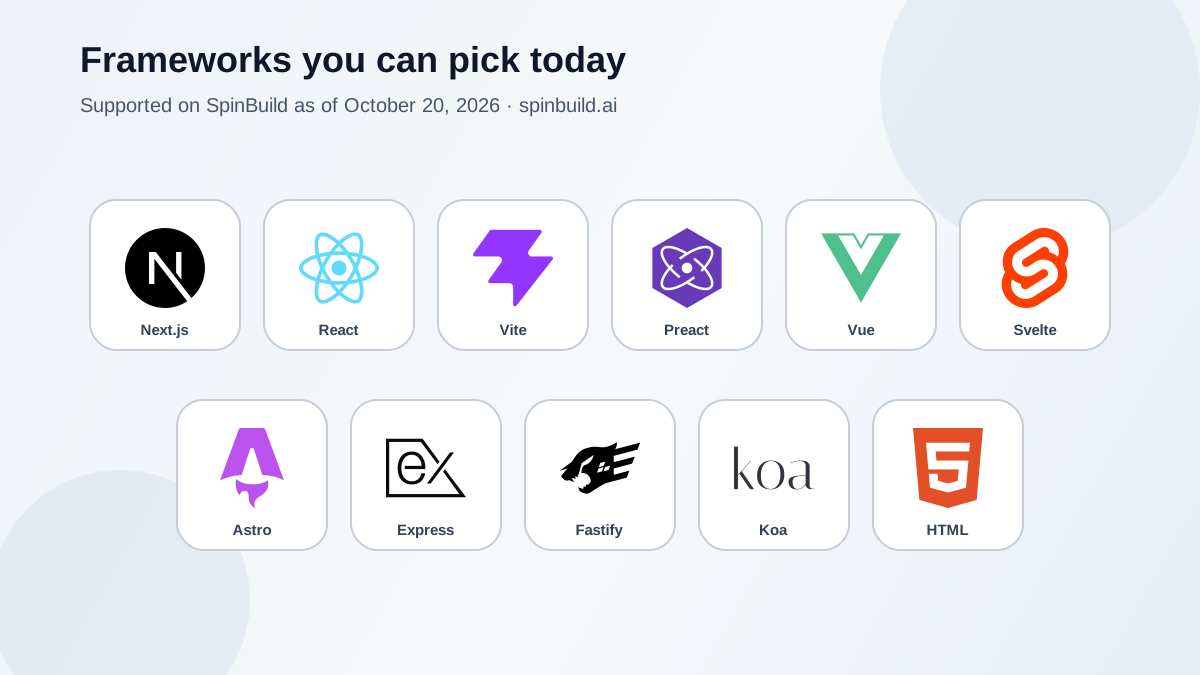
When you create a new project in SpinBuild, you pick a framework. That choice is not a wishlist. It is the stack the preview will actually run.
Some tiles in the picker say Soon. Those are not ready yet, so this post skips them. Below is only what you can start today — the ones that are live, including the ones marked Beta.
 Next.js
 React
React
 Vue
Vue
 Svelte
 Astro
Astro
 Express
 HTML
HTML
What “Beta” means here
Next.js is the stack we have run the longest end to end. Everything else you can select today ships with a starter and a live preview, but we still mark it Beta until we have proven the full path the same way. You can use them. You should still read the diff and click through the private preview before you publish.
Starter is free. No credit card. You still approve every change before it ships.
Next.js
The default for most new projects. Good when you want a full web app: pages, API routes, and a private Postgres for that project. If you are not sure which tile to click, start here.
React, Vite, and Preact
These give you a Vite-based frontend starter. Reach for them when you want a React-style UI without Next’s full app shell. Vite and Preact use the same kind of setup; pick the name that matches how you think about the stack.
Vue
Same idea as React, but with Vue. A small app scaffold you can describe into — lists, forms, screens — then review as a diff.
Svelte
A Svelte app starter. Useful when you already prefer Svelte’s style of writing UI. The loop is the same: describe, review, accept, preview.
Astro
Better when the thing is mostly content pages — a site, a brochure, a docs-style layout — rather than a heavy app with lots of live data. You still get a private preview and a publish step on your-app.apps.spinbuild.ai.
Express, Fastify, and Koa
These are server-first starters for APIs and backend services. SpinBuild is built for full-stack work — not frontends alone — so you can describe routes, business logic, and data access in plain language, get a real Node server in preview, and ship the API next to your UI. Private Postgres is available when the project needs a database. That is what full-stack means here: the backend is a first-class path, not an afterthought.
HTML / CSS / JS
Plain files. No npm install step. Good for a tiny site or a static page you want to keep simple. SpinBuild still gives you a private preview and HTTPS publish on the apps subdomain — not a custom domain.
How to choose in one minute
- Not sure? Next.js.
- You want React without Next? React or Vite.
- You already like Vue or Svelte? Pick that tile.
- Mostly pages and content? Astro or HTML / CSS / JS.
- Mostly an API or server? Express, Fastify, or Koa.
Whatever you pick, the product does not change: you describe the web app, you read the change, you accept or reject, then you click through the private preview. Publish puts the accepted version on an HTTPS URL under apps.spinbuild.ai. GitHub, if you connect it, is a one-way push to a repo you own.
What we are not listing here
Frameworks that still show Soon in the picker are not ready to start from blank yet — they are coming soon. We will write about them when you can click them and get a working preview.
Open spinbuild.ai, hit New project, and pick from what is live. Questions about accounts, preview, or a deployed app go to support@qyant.dev.
Related topics

Guide
How to create a web app from a description
A practical sequence: what to write in the first message, how to read the result, and when to publish.
8 min · Oct 14, 2026
Guide
Review the diff, then publish
What to look at before you accept a change, how the private preview fits, and what publishing actually puts online.
8 min · Oct 11, 2026
Guide
What you have when the first version is done
A frontend, a backend, a private Postgres, a diff you accepted, and a live HTTPS address. Here is the list, and the limits that come with it.
7 min · Oct 8, 2026