SpinBuild Design
Design it. Then ship it.
A free design tool for people who make websites and apps. The canvas, layers and shortcuts you know, with no seat licence, and a straight line from your frames to working code.
Free for every SpinBuild account. No credit card.
What you get
Everything a designer reaches for, none of the per-seat bill.
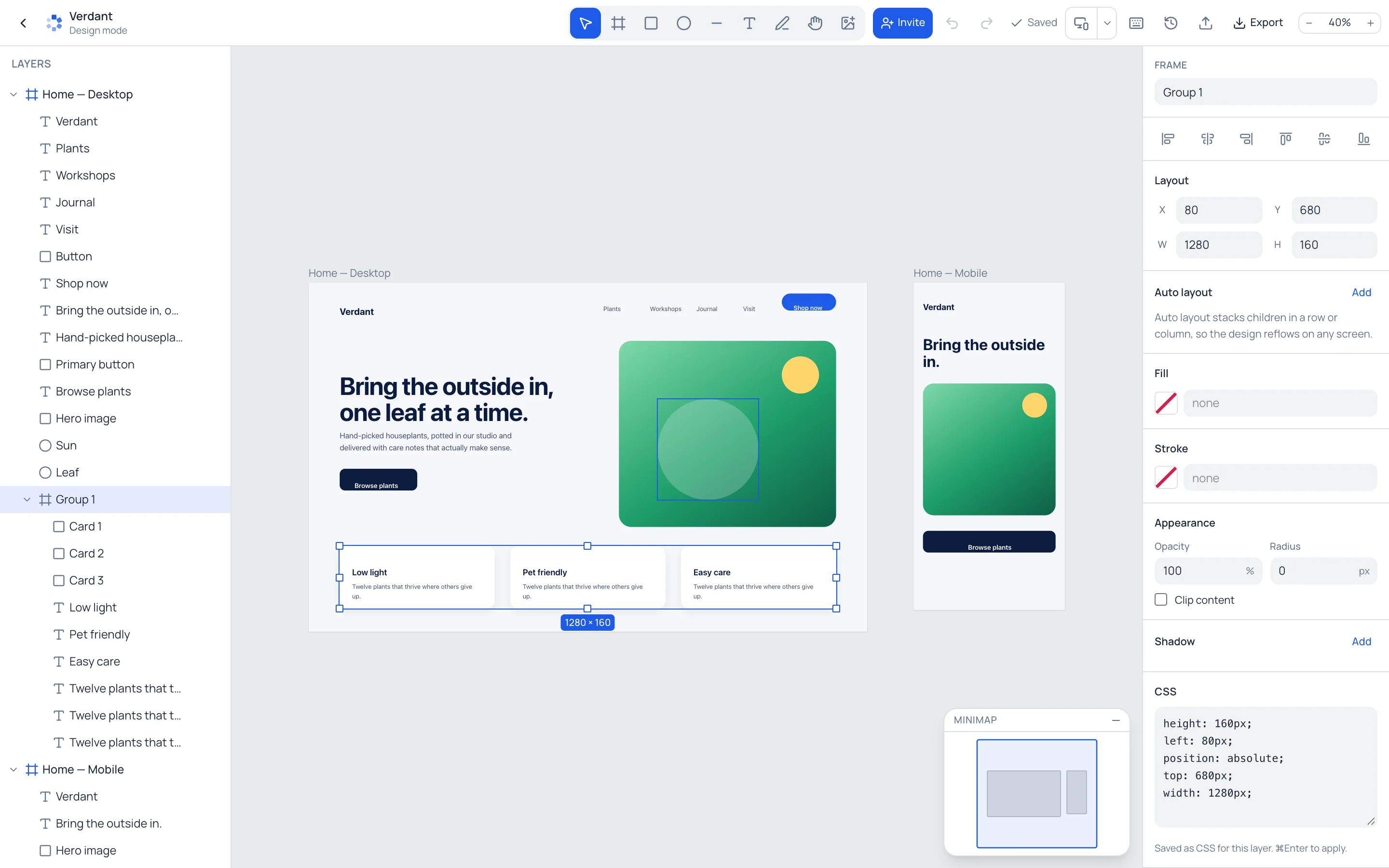
Frames, shapes, text and lines
Draw with the tools you already know. Every layer is real HTML and CSS underneath, so nothing gets lost on the way to code.
Groups that behave
Select a few layers and press ⌘G. Groups move and resize as one, and a double-click takes you inside.
Snapping and Alt distances
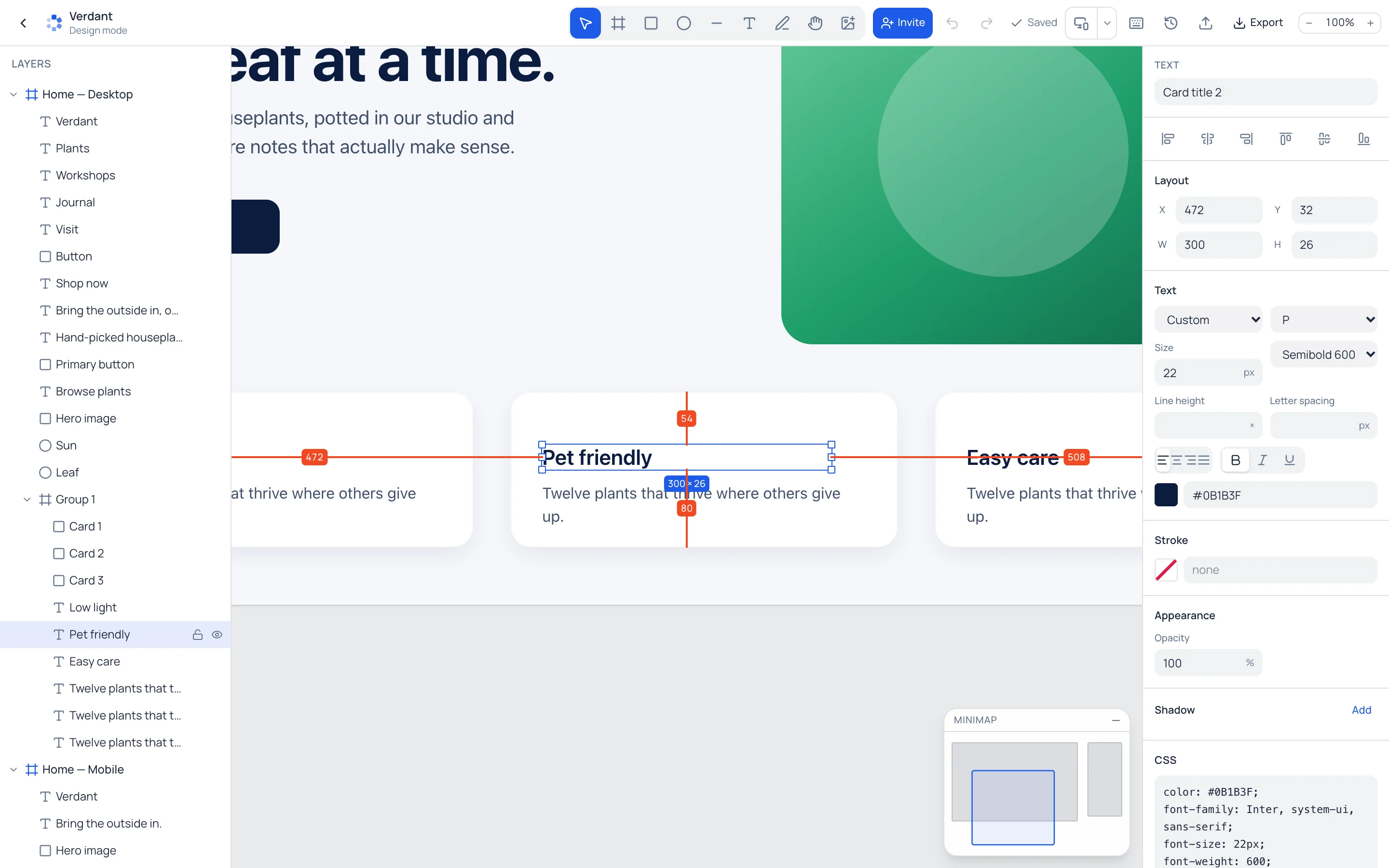
Smart guides snap to edges and centres. Hold Alt to see the exact spacing to the next layer or to the parent.
A minimap for big canvases
See every frame at once and the part you are looking at. Click or drag to jump around.
Live with your team
Invite people to the file and see their cursors and selections as they work. No seat to buy for each of them.
Bring your Figma files
Paste a Figma link and a personal access token. Frames, auto layout, text and images come across as editable layers.
From design to a live app
The design sits next to the project it belongs to. Ask the AI to build from it, or export clean HTML and CSS.
Works on a phone
Pinch to zoom around your fingers, pan with two, and select with one. Handy for a quick fix away from your desk.
Precision
Hold Alt. See every gap.
Spacing is where designs drift. Hold Alt with a layer selected and SpinBuild Design shows the distance to whatever you point at, or to the edges of the parent when you point at nothing.
- Arrow keys nudge by 1px, Shift for 10px
- Smart guides on edges and centres
- Exact X, Y, W and H in the properties panel
Keyboard first
Your hands already know it.
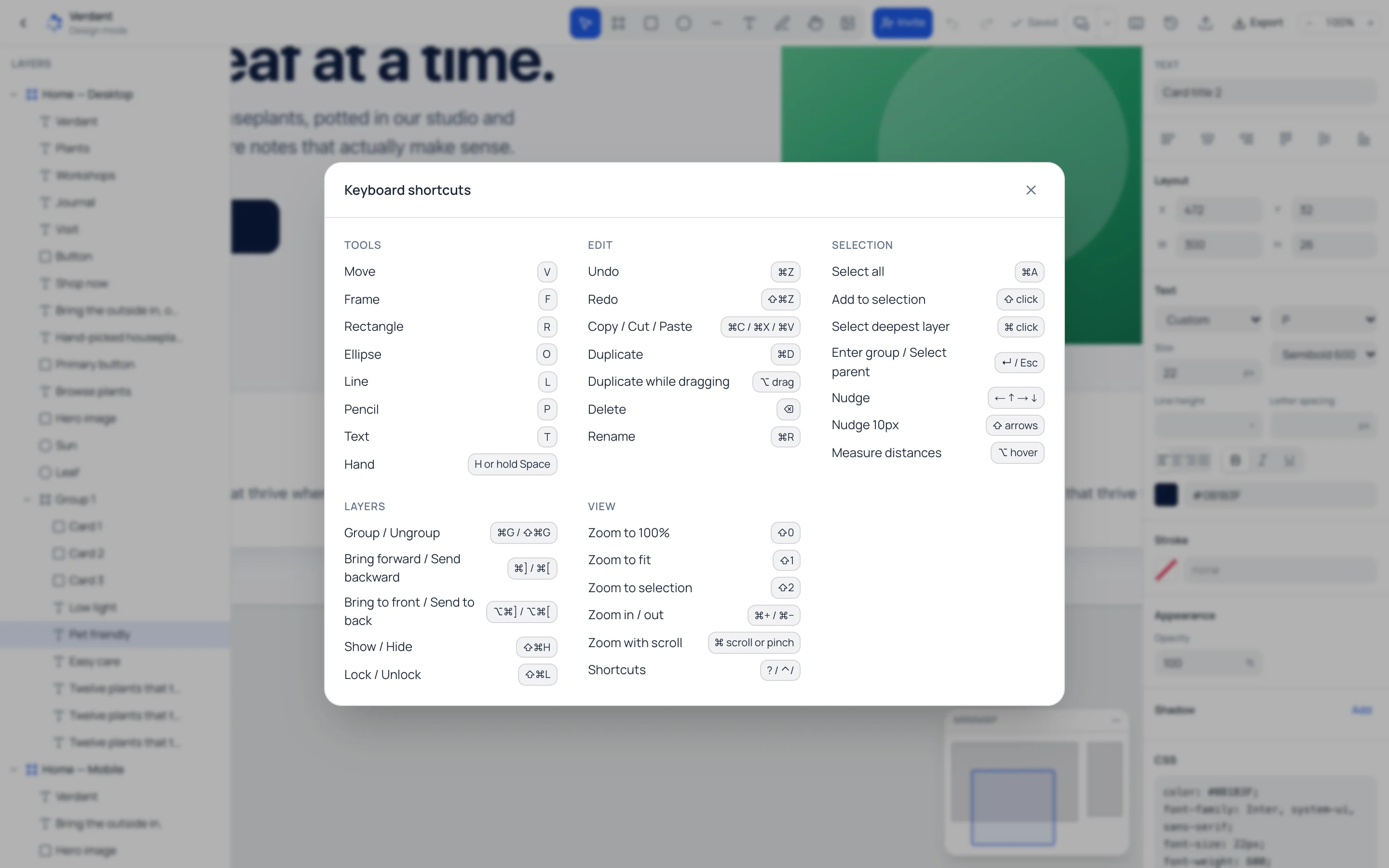
If you have spent years in Figma, the shortcuts carry over. Press ? any time for the full list.
- Tools
- V F R O L T
- Group, ungroup
- ⌘G / ⇧⌘G
- Duplicate
- ⌘D, ⌥ drag
- Reorder layers
- ⌘] ⌘[
- 100%, fit, selection
- ⇧0 ⇧1 ⇧2
- Hide, lock
- ⇧⌘H ⇧⌘L
- Rename
- ⌘R
- All shortcuts
- ?
Ctrl on Windows and Linux.
Moving over
Keep your Figma work. Bring it with you.
Figma is a great tool and we are not asking you to throw anything away. Open Import in SpinBuild Design, paste a Figma file link and a personal access token, and your frames arrive as layers you can edit. You can also paste HTML.
Questions
Is SpinBuild Design really free?
Yes. Design mode comes with every SpinBuild project, on the free plan too, and there is no charge per editor. Credits are only used when you ask the AI to generate or change things for you.
Can I import my designs from Figma?
Yes. Open Import in design mode, paste a Figma file link and a Figma personal access token, and the file comes in as editable frames and layers. Auto layout becomes flexbox, and text, images and vectors come across. Some effects are approximated.
Is it a full replacement for Figma?
Not for everyone. Figma has years of depth in components, prototyping and plugins. SpinBuild Design is built for the work of designing websites and app screens that you then want to build, and it costs nothing to use.
Do the Figma keyboard shortcuts work?
Most of them. V, F, R, O, L and T pick tools, ⌘G groups, ⌘D duplicates, Alt-drag copies, Shift+1 zooms to fit, and ? opens the full list.
Can I work with my team?
Yes. Invite people to the project and you will see each other's cursors and selections live. Nobody needs a paid seat to join.
What happens to my design after that?
It lives next to your project. You can export HTML and CSS or images, or ask the SpinBuild AI to build the app from your frames.
Open a canvas. It is free.
Every SpinBuild project comes with a design file. Sign up, open a project and switch to Design mode.
Start designing free