Postgres built in·11 stacks·One-click deploy·Custom domains
Build and deployfull-stack apps with AI.
SpinBuild writes the frontend, backend and Postgres database from your description, then deploys it all to a live URL or your own domain in one click, with the code in a GitHub repo you own.
Try an example:
Free plan, no card needed
See it working in under a minute
Your app, your data — always yours
Acme CRM
v13 · 24 files · live
Claude Opus 5Think: mediumGitHubRun previewSharePublish
Menu
ChatNNext.js
Add customer search and a page to log calls against each customer.
Thought for 14s
Added customer search and call logging. Your preview is updated.
Updated 4 files
Add customer filtersNext steps
Describe the next change…
Upload
Files
app
customers
page.tsx
api
layout.tsx
page.tsx
components
customers.tsx
lib
calls.ts
db.ts
QYANT.md
package.json
page.tsx
1import { Customers }
2from "@/components/customers";
3
4
5export default async function
6CustomersPage() {
7 const customers =
8 await getCustomers();
9
10
11 return (
12 <main className="space-y-6">
13 <h1>Customers</h1>
14 <Customers
15 customers={customers}
16 />
17 </main>
18 );
19}
20
Live previewv13
Acme CRM
Customers
Search customers…
New customer
Pipeline
$258k
Calls (7d)
42
At risk
3
CompanyOwnerStatusARR
Northwind TradersAva ChenActive$48,200
Bluebird StudioMarcus HillTrial$3,900
Helios EnergyPriya NairActive$126,750
Cobalt LabsJonah WeissChurn risk$18,400
Marlow & CoSofia ReyesActive$61,300
11 stacks. Next.js by default.
Every app kernel-isolated
A private database per app
Live preview in under a minute
Two-way sync with your GitHub
Your own domain on paid plans
Sign-in for your users, no setup
Built-in visitor analytics
No code to read — unless you want to
Your idea. Your stack.
Build with the frameworks you love.
11 supported stacks. From your first website to a full-stack app or backend service, choose what fits your idea and start building.
Frontend libraries, full-stack frameworks, and backend tools. Real source code in the stack you choose.
The facts
What is SpinBuild?
SpinBuild is an AI development platform for vibe coders and developers. Describe a website or app, choose your stack and AI model, and iterate with a live preview. People who don't write code get changes applied automatically. Developers accept or reject each diff. Sync with GitHub and publish over HTTPS.
Our team is working on continually improving a development workflow that brings prompting, code review, live previews, private Postgres, GitHub sync, and publishing together.
GPT-6.1 Sol is our recommended starting point for building, and it is included on the free plan. Claude Opus 5.5, Claude Sonnet 5.5, and the rest of the catalogue are on paid plans. Choose a model and compare its current context window and pricing.
Our recommendationopenai/gpt-6.1-sol
GPT-6.1 Sol
Our recommended starting point for building and refining websites and web apps, included on the free plan.
Context window
1.1M tokens
Input / 1M tokens
$2.00
Output / 1M tokens
$10.00
Context and pricing stay up to date automatically.
You're in charge
Preview your changes. Publish when you're ready.
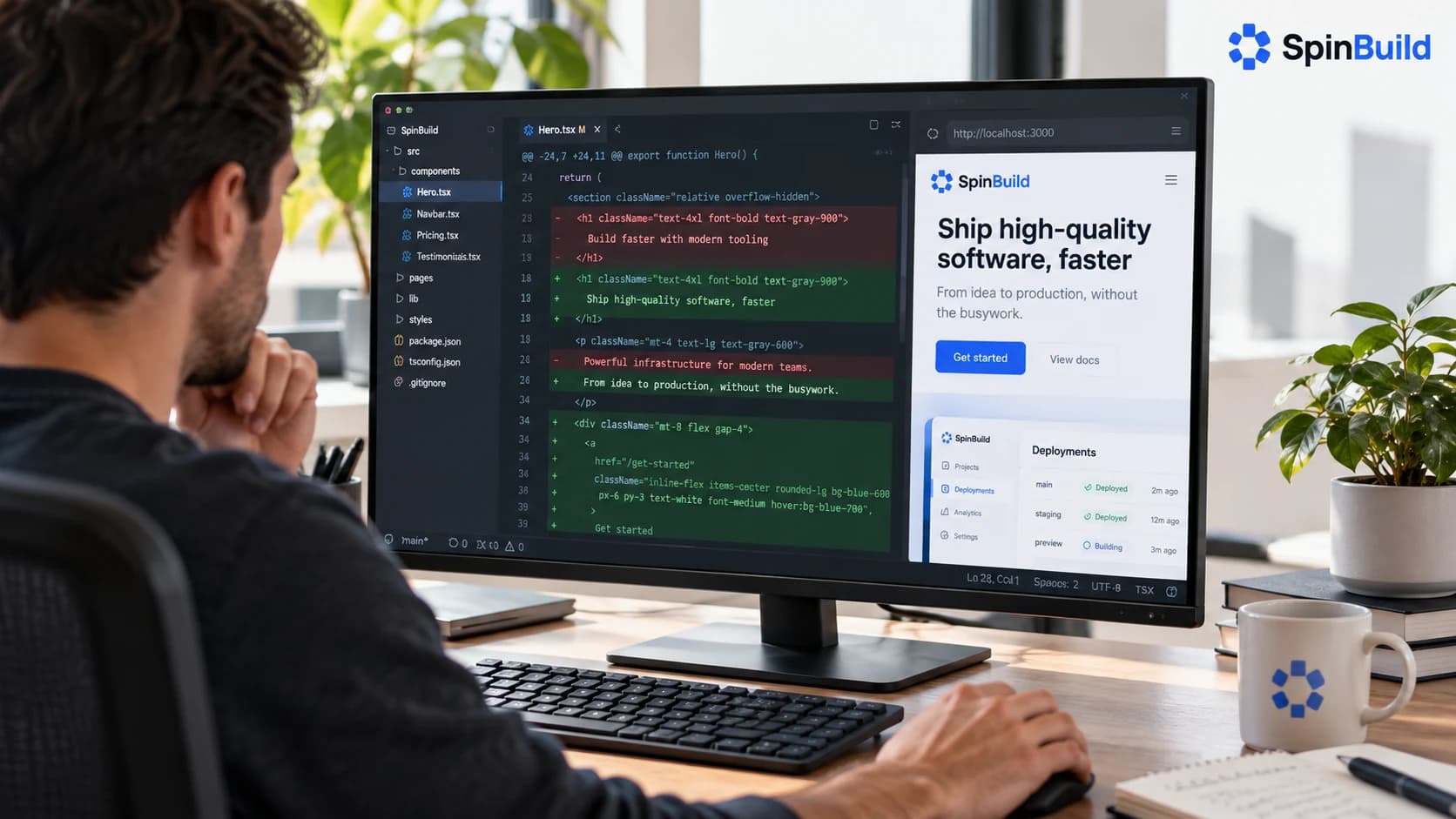
Changes land in your preview as you go, so you judge the thing itself rather than a diff. Nothing reaches the public until you press Publish — and every version is one click away if you want to go back. If you'd rather approve every edit first, turn review on in Settings and SpinBuild waits for you, file by file.
Watch each change appear in the live preview.
Jump back to any earlier version, any time.
Developers: switch review on for diffs and per-file accept.
schema.prisma
Set asideApprove
− model User { id String @id }
+ model User { id String @id · email String · projects Project[] }
+ model Project { id String @id · owner User @relation… }
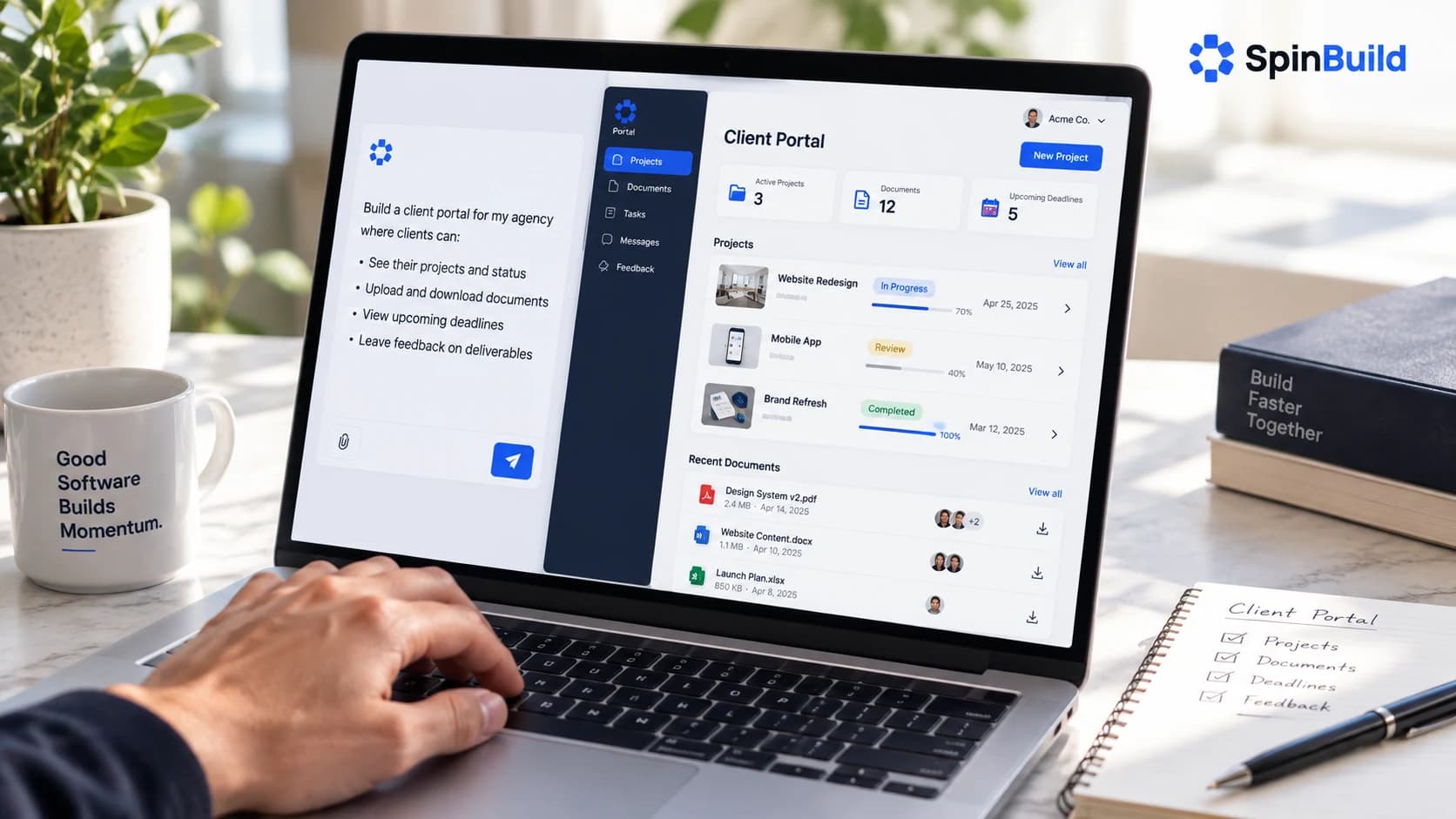
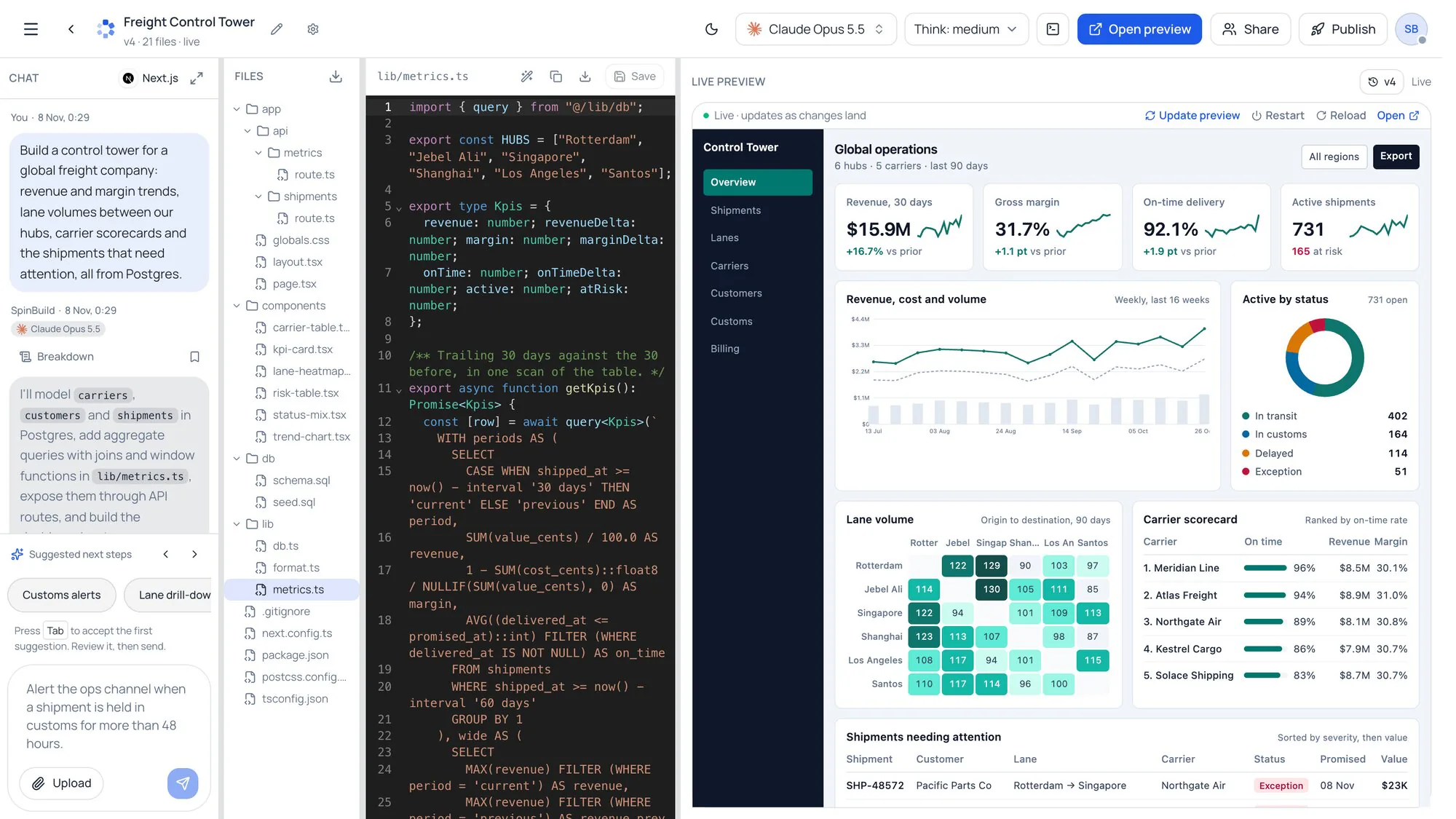
SpinBuild builds a complete app from the first prompt: the interface, the backend, and a Postgres database, running live in its own space. You can keep that database on SpinBuild, or Continue with Supabase on your own account. The preview is the real app, not a mockup.
Interface, backend, and database together.
A real Postgres database for every project.
Continue with Supabase if you want that Postgres on your account.
A live preview that's the actual app.
Interface
UI, routes, components
Backend
APIs and business logic
PostgreSQL
Private per project, or your Supabase
The SpinBuild builder: chat, API routes, Postgres queries and the running app, side by side.
It keeps up with you
Watch it come together, live.
SpinBuild streams the code as it writes it, and the preview updates when you accept a change. You see the new version on the preview before anything is published.
SpinBuild lets you switch models in one dropdown, from a fast model for a sketch to a stronger one to finish. You choose how much each step costs.
Model
GPT-6.1 Sol — recommended
GPT-6 Astra — paid plans
Claude Opus — paid plans
From build to live
Your code, in a GitHub repo you own.
On a paid plan, SpinBuild syncs your project with a GitHub repository you own, both ways. Your changes are pushed up, and commits made on GitHub, by you or a teammate, are pulled back in while the project is open. Publishing to an HTTPS URL is one click, and the code uses your selected stack and can run elsewhere with the appropriate dependencies and hosting.
Keep the assistant you already use. Connect Cursor, Codex, Claude Code, or Grok Build to your SpinBuild projects. When you are signed in, open MCP in the sidebar for the same connection steps.
On the SpinBuild screen, review the client and choose Allow connection. Return to your client and ask: “Use SpinBuild to list my projects.”
Already added SpinBuild using a token?
Remove the old SpinBuild server from your client and add it again using this setup. Old Authorization headers or bearer-token settings prevent the browser sign-in flow from starting. Your projects are kept in SpinBuild.
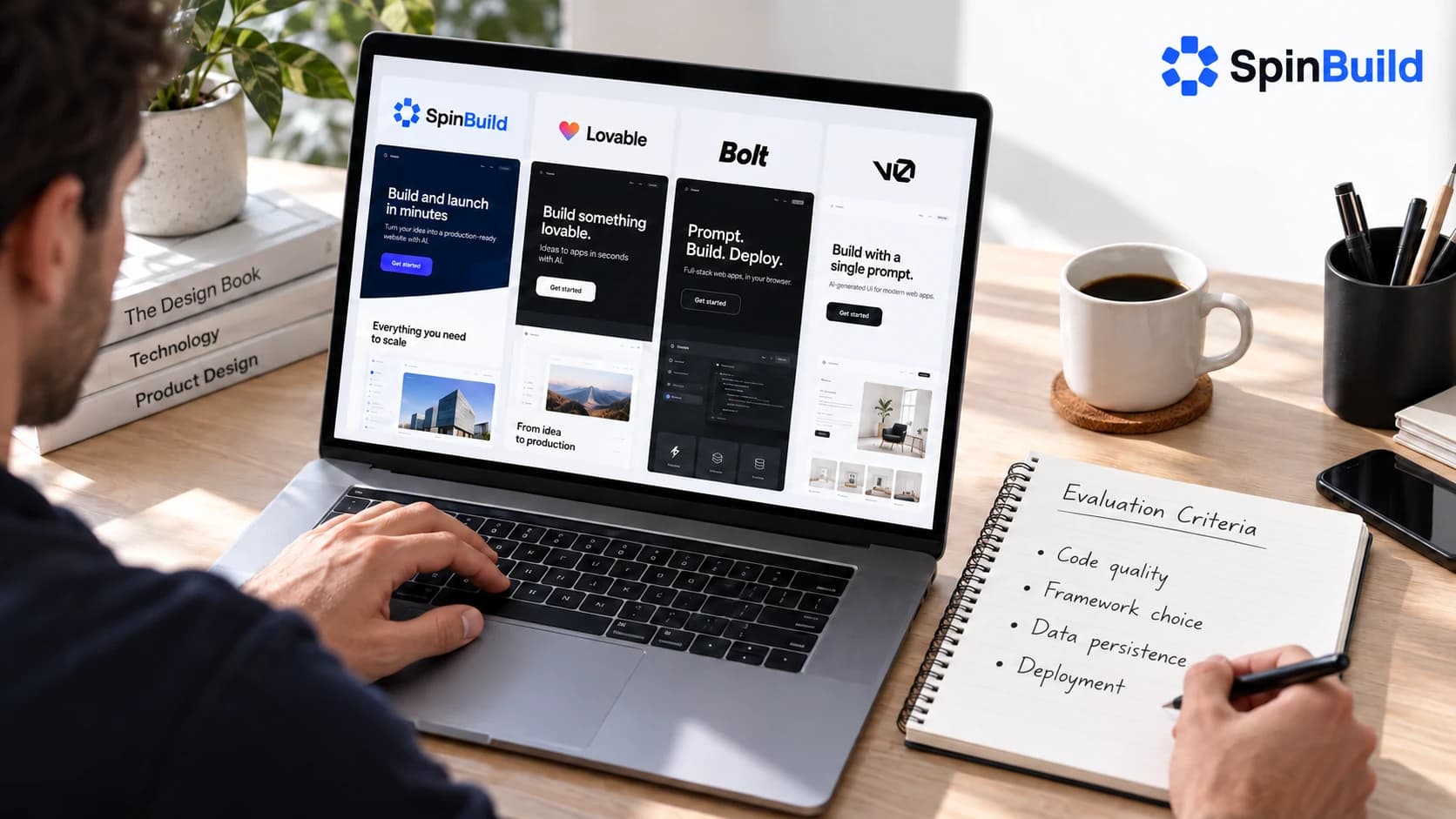
SpinBuild, Lovable, Bolt, and Base44 are chat-based app builders. They differ on the database, GitHub sync, custom domains, and sign-in for the app's users. This table uses each product's own documentation. It is not a ranking.
Swipe to compare all 4 platforms
Comparison of SpinBuild, Lovable, Bolt, and Base44
Feature
SpinBuild
Lovable
Bolt
Base44
What it is
Vibe coding platform for full-stack apps and websites
App and website builder
AI builder for websites, apps, and prototypes
Vibe coding platform for apps and websites
How you build
Describe it. Changes land in the preview; turn on review for diffs.
Describe it in chat. Edits land in the project, and you can revert.
Describe it in a browser IDE and work in the code.
Describe it. Aimed at people who don't want to write the code.
What you get
Your chosen stack, with private Postgres available for app data
A React app with Supabase or Lovable Cloud
Several frameworks, plus Bolt Cloud for data and hosting
An app on Base44's runtime and built-in backend
Database
Private Postgres with every project
Postgres through Supabase or Lovable Cloud
Built-in database on Bolt Cloud
Built-in MongoDB-compatible database
Your code
Source code in your chosen stack. Two-way GitHub sync with a repo you own, on paid plans.
Two-way GitHub sync. You can clone it and host it yourself.
GitHub sync. The code can run on another host.
GitHub on the Builder plan and above, with two-way sync.
Go live
One click to an HTTPS URL on SpinBuild. A custom domain is on paid plans.
Lovable hosting. A custom domain is on paid plans.
Bolt hosting, or a host you choose
Live on Base44 as soon as the app exists
Your own domain
Yes, on paid plans, with free HTTPS
Yes, on paid plans
On Bolt hosting, or wherever you deploy
Yes, on Base44 hosting
Sign-in for your app's users
Yes, built in: email and password, Google, GitHub and LinkedIn with no keys
Yes, through Supabase or Lovable Cloud
Yes, through Bolt Cloud
Yes, built in
Choose the model
Yes. You pick the model.
Lovable runs its own pipeline.
You can choose among Bolt's models.
Base44 runs its own models.
Start
Free plan, no card
Free tier, with limits
Free tier, with limits
Free tier, with limits
Snapshot from public docs in October 2026: Lovable, Bolt, and Base44. They change their plans and features.
Pricing
Simple plans that grow with you.
Start free with no card. Upgrade only when you want to build more.
Every plan includes:
Private database for each app
Live secure link (*.apps.spinbuild.ai)
Private preview
Review every change
Sign-in for your app's users
Visitor analytics
What's a credit?
A credit is a slice of real model usage, not a flat per-message charge: a small edit costs a fraction of one, a long build on a heavier model costs several. How credits work
No surprises
Change or cancel your plan any time from Billing. Upgrades apply right away; downgrades at the end of the period. Need a bigger setup for your company? Talk to us.
Pick what fits you best, and we'll show the answers that matter to you.
How do I get started?
Sign up with email, Google, or GitHub, choose a supported stack, and describe what you want to build. SpinBuild generates the project and lets you work with a live preview in your browser. Starter is free with no credit card; paid plans provide larger allowances.
Do I need to know how to code?
No. You can start by describing what you want, checking the preview, and asking for changes. Coding knowledge helps with more complex requirements and troubleshooting. If you write code, you can inspect the source and diffs in your selected stack and connect your GitHub repository.
What is SpinBuild?
SpinBuild is an AI platform for building websites and web apps from plain-language descriptions. Choose your stack and AI model, generate and refine your project with a live preview, and publish it to a live URL. Private Postgres is available for app data, and optional code review lets you inspect changes as diffs.
What is vibe coding?
Vibe coding means describing the software you want instead of writing every line yourself. In SpinBuild, you describe changes, inspect the running preview, and refine the result. You can enable code review to inspect diffs before accepting changes.
Can SpinBuild build a full-stack app, not just a landing page?
Yes. SpinBuild supports full-stack apps as well as frontend projects, static websites, and backend services. Choose the stack that fits your project, including Next.js for integrated full-stack apps or Express, Fastify, and Koa for backend services. Private Postgres is available for app data. The preview runs your project so you can check its actual behavior.
How does SpinBuild's pricing work?
Starter is free and needs no credit card. Usage is metered in credits: cost depends on the model, thinking level, and how much work the request took. Paid plans raise monthly credits and limits. See the pricing page for each plan; credits reset monthly and do not roll over.
Do I own the code SpinBuild writes?
Yes. Your project uses source code in the stack you selected. Connect GitHub to sync with a repository under your account, including changes made outside SpinBuild. You can run the project elsewhere with the dependencies, environment variables, database, and hosting appropriate to that stack. Source downloads and sharing depend on your plan.
Need help or have feedback?
Email support@spinbuild.ai for help with your account, preview, or deployed app, and for product feedback. For sales or enterprise enquiries, use contact@spinbuild.ai.
What programming languages does SpinBuild support?
SpinBuild supports JavaScript and TypeScript projects, as well as plain HTML/CSS/JS. Choose from 11 supported options: Next.js, HTML/CSS/JS, Astro, Vue, Svelte, Preact, React, Vite, Express, Fastify, and Koa. These include frontend libraries, build tools, and backend frameworks, so you can choose the stack that fits your project.
Which AI models power SpinBuild?
You pick the model in the builder. GPT-6.1 Sol is selected to start, and the same dropdown includes Claude Opus, Claude Sonnet, and hundreds of other models. We keep the catalogue current so you can switch when a stronger or cheaper model fits the step.
Do I own the code SpinBuild writes?
Yes. Your project uses source code in the stack you selected. Connect GitHub to sync with a repository under your account, including changes made outside SpinBuild. You can run the project elsewhere with the dependencies, environment variables, database, and hosting appropriate to that stack. Source downloads and sharing depend on your plan.
Can SpinBuild build a full-stack app, not just a landing page?
Yes. SpinBuild supports full-stack apps as well as frontend projects, static websites, and backend services. Choose the stack that fits your project, including Next.js for integrated full-stack apps or Express, Fastify, and Koa for backend services. Private Postgres is available for app data. The preview runs your project so you can check its actual behavior.
How is SpinBuild different from Lovable?
SpinBuild gives you a choice of 11 supported stacks: Next.js, HTML/CSS/JS, Astro, Vue, Svelte, Preact, React, Vite, Express, Fastify, and Koa. You can also choose your AI model, use private Postgres for app data, sync with your own GitHub repository, and enable optional diff review. If framework choice and control over the model matter to your project, these are key reasons to consider SpinBuild alongside Lovable.
How is SpinBuild different from Bolt?
SpinBuild supports 11 stack options: Next.js, HTML/CSS/JS, Astro, Vue, Svelte, Preact, React, Vite, Express, Fastify, and Koa. Its workflow combines model choice, a running preview, private Postgres for app data, GitHub sync, and publishing. Changes can apply directly, or you can enable diff review before accepting them. When comparing SpinBuild with Bolt, try the same project and assess the result, workflow, and usage cost.
How is SpinBuild different from Base44?
SpinBuild lets you build in 11 supported stacks: Next.js, HTML/CSS/JS, Astro, Vue, Svelte, Preact, React, Vite, Express, Fastify, and Koa. You choose the AI model, work with source code in your selected stack, and can sync it with your own GitHub repository. Private Postgres is available for app data, with a live preview, optional diff review, and publishing in the same workflow. Consider these options when comparing SpinBuild with Base44.
What about v0 and other AI builders?
Compare builders using the stack your project needs, model choice, database support, code access, deployment options, and usage cost. SpinBuild supports 11 stack options spanning frontend projects, static websites, full-stack apps, and backend services. You can choose your AI model, use private Postgres for app data, and enable optional diff review.
What is SpinBuild’s pricing structure?
SpinBuild offers Starter at $0, Spark at $5/month, SpinBuild Lite at $10/month, Pro at $25/month, Pro Plus at $40/month, and Scale from $200/month when billed monthly. With annual billing, the paid plans cost the equivalent of $4, $8, $20, $32, and $160 per month, respectively, billed upfront for the year. All prices are in USD. Each plan includes a monthly credit allowance and limits for projects and live deployments. AI credit usage depends on the model, thinking level, and work performed; credits reset monthly and do not roll over. Visit the pricing page to compare allowances, features, and higher-volume Scale options.
How do you contact SpinBuild?
Email contact@spinbuild.ai for sales and enterprise enquiries. For help with an account, preview, or deployed app, email support@spinbuild.ai. You can also use the contact form at spinbuild.ai/contact.
Start today
Your next app starts with a sentence.
You start a SpinBuild project by describing the app in one sentence. The Starter plan is free, and the code stays yours.
 Claude Opus 5










 SpinBuild
 Lovable
 Bolt
 Base44