ai app builder · 6 min read
Can an AI App Builder Make a Full-Stack App with a Database?
Yes, if it writes the backend and database too. What full-stack means, how to test for a real database, and how SpinBuild gives every app private Postgres.
 Team SpinBuildComment
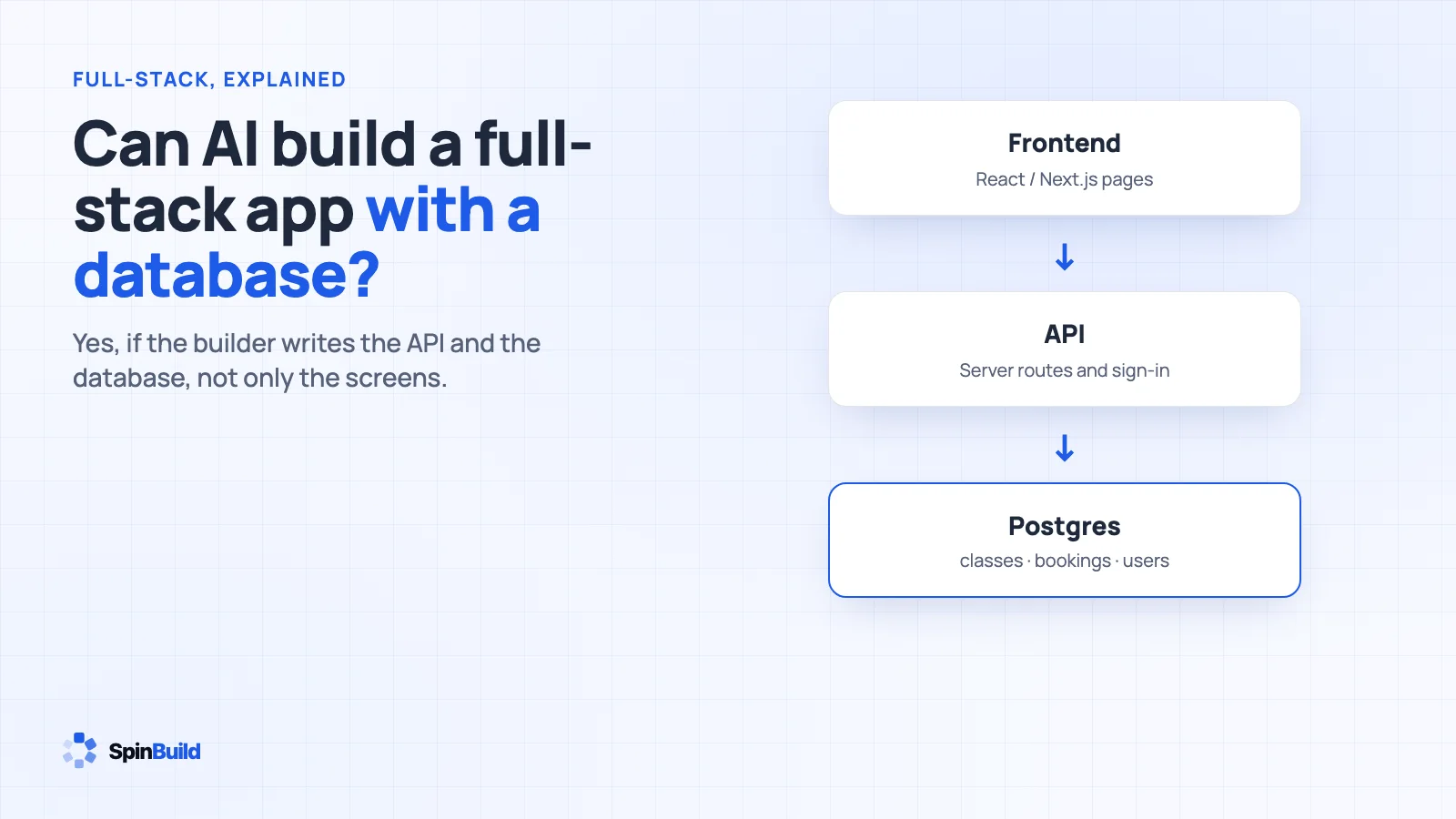
Yes, an AI app builder can make a full-stack app with a real database, but only if it writes all three layers: the pages, the server code that enforces your rules, and a database that stores your data. Many AI tools only generate the pages. To check, add a record, reload, and open the app in another browser. If the record is gone, there's no database behind it.
That reload test has saved a lot of people a lot of time. A screen generator and a full-stack builder can produce identical-looking demos. The difference only shows up when someone actually uses the app.
This article covers what full-stack really means, what happens inside an app when someone clicks a button, how to check a tool in five minutes, and how SpinBuild, our AI app builder, handles the database.
What "full-stack" means
A full-stack app has three layers:
- Frontend. What people see and click: pages, forms, buttons. Usually React or Next.js.
- Backend. Server code that enforces the rules: who's allowed to do what, what happens when a form is sent, when to send an email. Sometimes it lives in the same project as the pages (Next.js API routes), sometimes in a separate API server such as Express.
- Database. Where the app remembers things: users, orders, bookings, settings. Usually a relational database such as Postgres.
A tool that only writes the first layer gives you a prototype. It looks right, but it forgets everything on reload, and any "rule" it has lives in the browser, where anyone can get around it. That's perfect for a design review. It's not something you can give to customers.
What happens when someone clicks "Book"
Take a class booking app. When a visitor presses Book, four things happen:
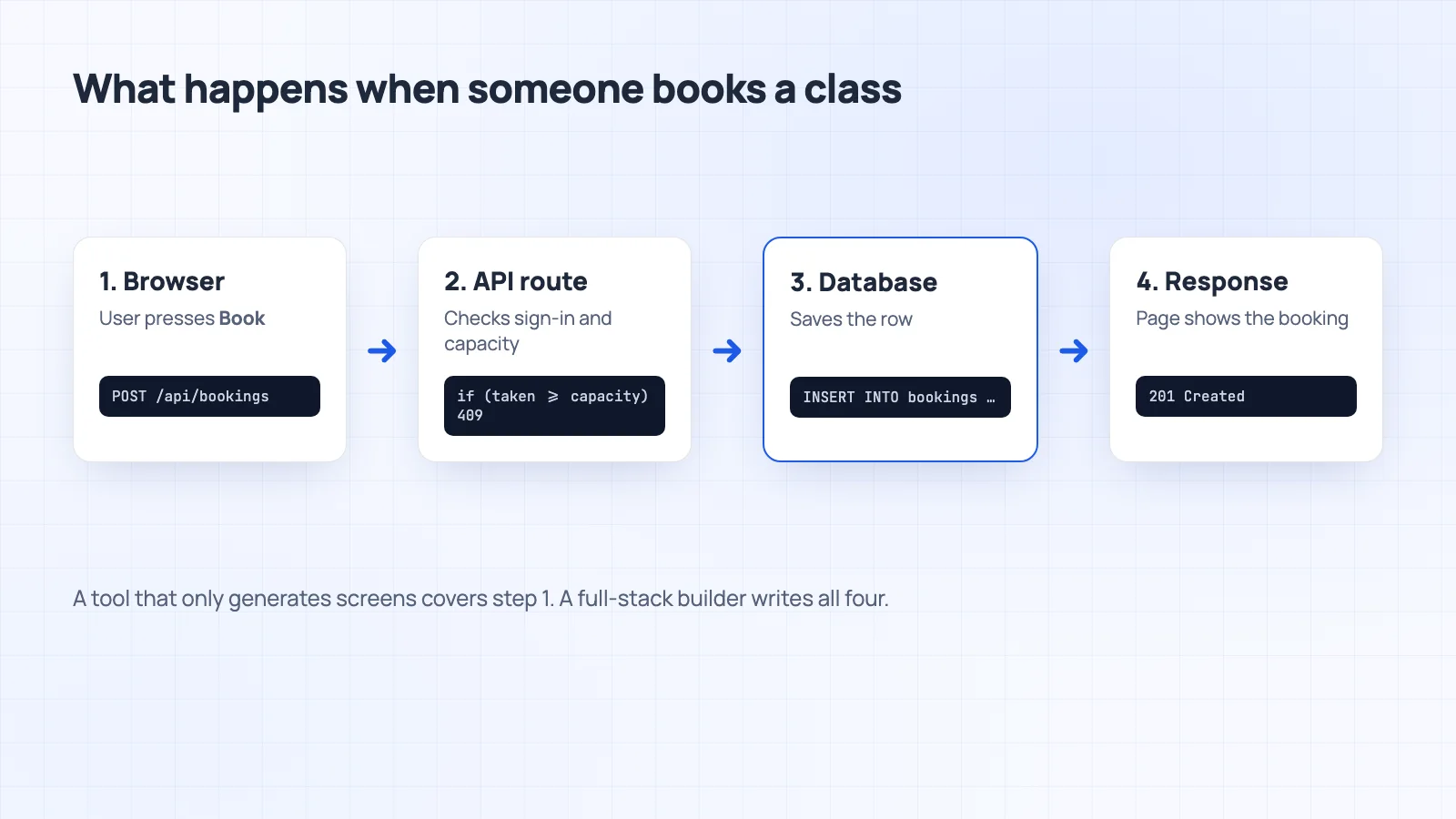
- The browser sends a request to the app's server.
- The API route checks the rules. Is this person signed in? Is the class full?
- The database saves the booking, so it's there tomorrow and the studio owner can see it.
- The response comes back, and the page shows the confirmed booking.
Step 2 is the one that matters. "No overbooking" has to run on the server. If it only runs in the browser, someone with ten minutes and the developer tools can book a full class anyway. A full-stack AI app builder writes that server check for you, from a sentence like "a class can't be booked past capacity."
Five-minute checks for any AI app builder
- The reload test. Add a record, reload, open the app in a private window. Gone? No database.
- Find the schema. Can you see the tables and columns? Real databases have them as code or migrations you can read.
- Ask where the data lives. Is the database private to your app, or a shared store with a filter on top?
- Publish and compare. Does the live app see the same data as the preview, or start empty?
- Try to cheat. Sign out and open a page that should need sign-in. The server should turn you away, not just hide a button.
How SpinBuild handles the database
We built SpinBuild around full-stack apps, so the database comes with every project from the start, whatever stack you pick. SpinBuild has more than a dozen stack options, including Next.js, TanStack Start, React, Vue, Svelte, Preact, Astro, Vite and plain HTML for web apps and sites, Express, Fastify and Koa for backend APIs, and Expo for mobile. See the stack reference.
A private Postgres database for every project
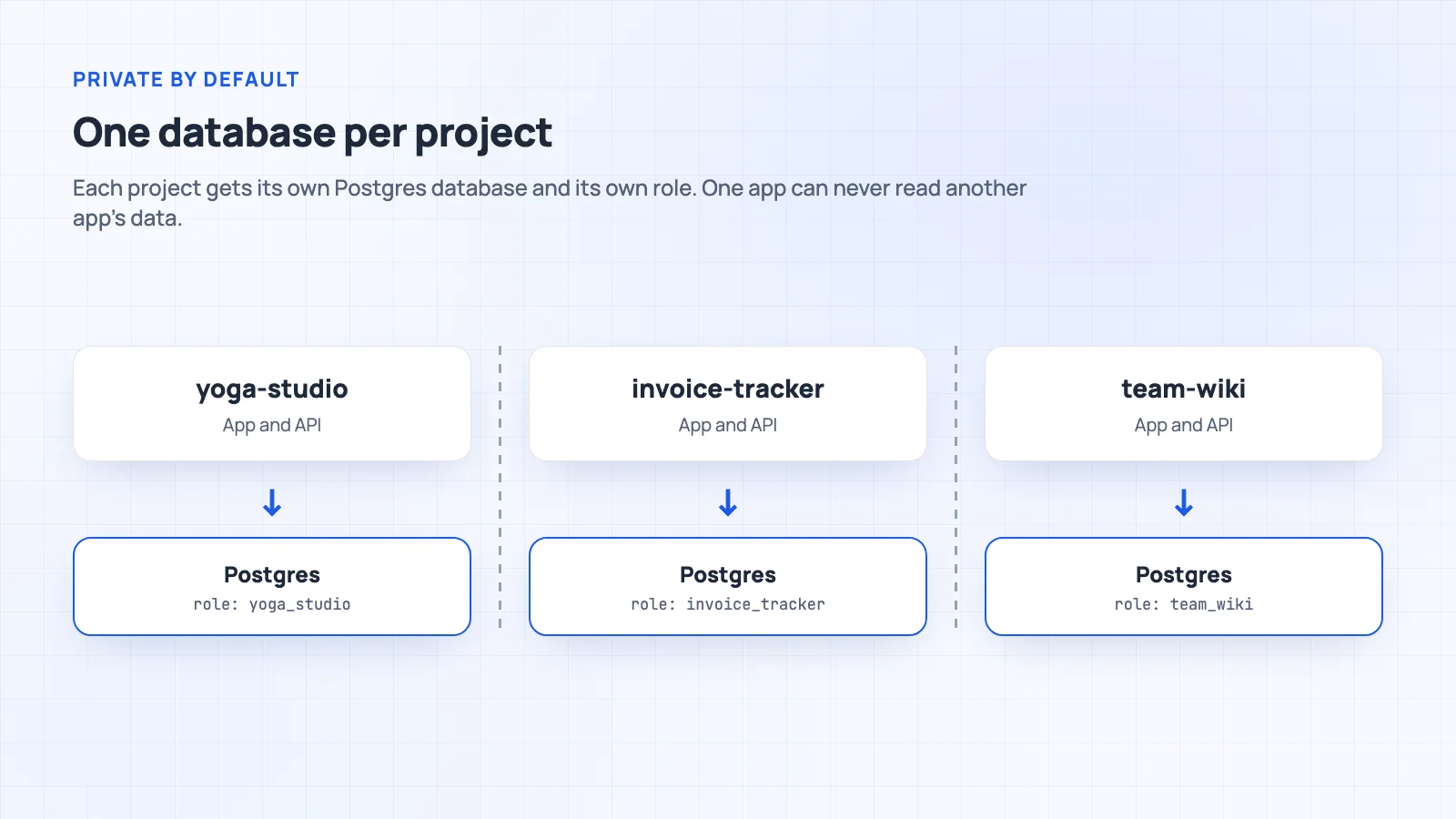
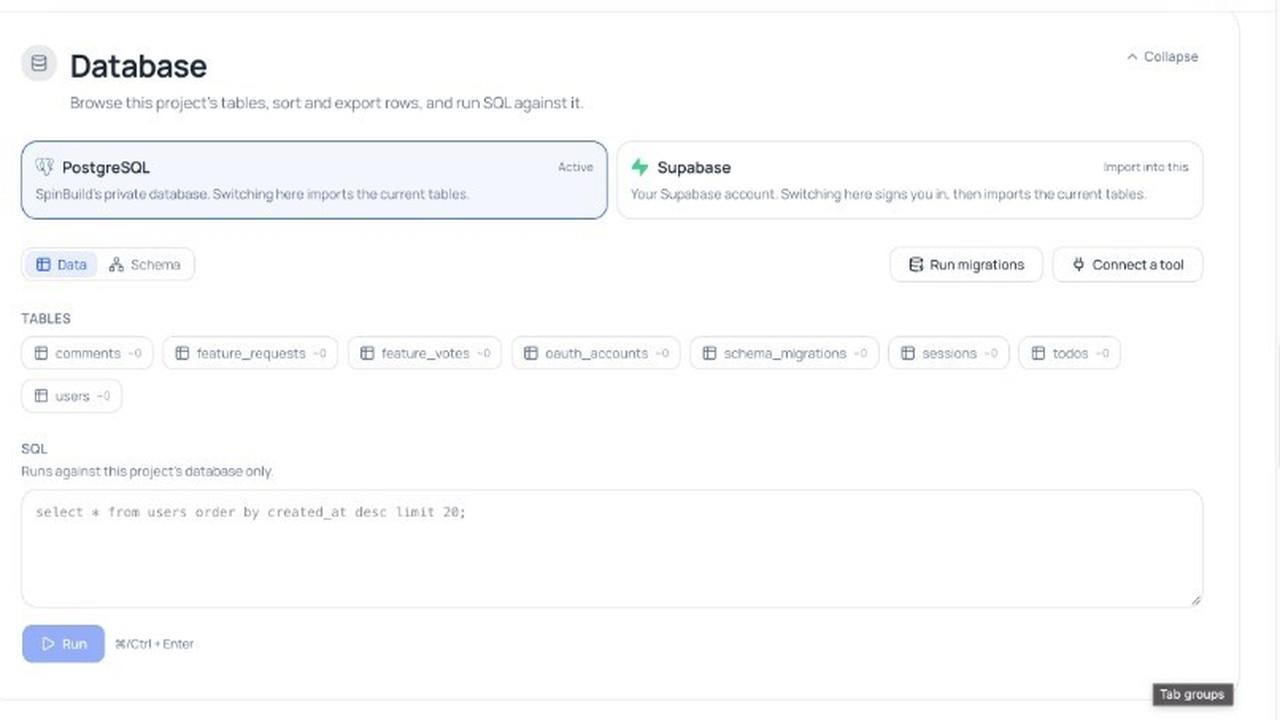
Every SpinBuild project gets its own Postgres database, with its own role and password. That role can only reach that one database. It can't connect to any other project's database, and it has no administrator rights. The connection string sits in your project's environment file as DATABASE_URL, like in any normal app.
Tables arrive as migrations you can read
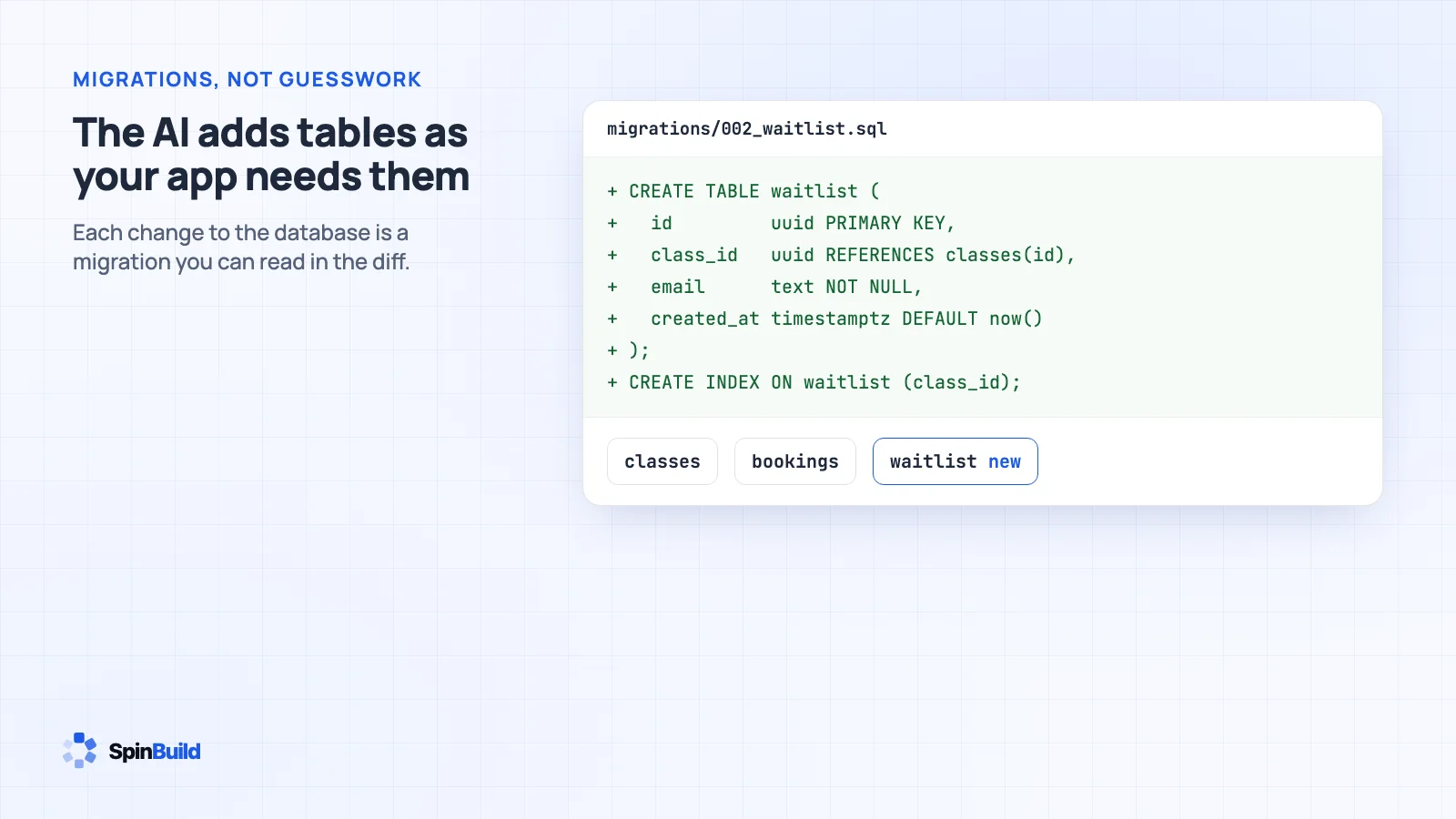
You don't draw a database diagram. You say what the app should remember, and the AI adds only the tables it needs, as migrations: small SQL files that change the database one step at a time. They're files in your project, so you can read them, and developers can review them in the diff before accepting.
The same data in preview and production
The preview you test in and the app you publish use the same database. Classes you add while building are already there when you go live. No export, no import, no "why is production empty?"
Sign-in and permissions
Apps with data need accounts. SpinBuild apps can use email and password sign-in, plus Google, GitHub and LinkedIn, with no keys to set up. Ask for permissions in plain words, like "only the owner can see the admin page", then check them yourself with the "try to cheat" test above.
Prefer Supabase?
You can copy your tables, functions and rows to Supabase from Settings → Database, and the app switches over. You can switch back the same way. See the Supabase guide.
What you can build once there's a real database
- Booking and scheduling apps for studios, salons or meeting rooms.
- Internal tools such as inventory, CRMs, approval flows and dashboards.
- Customer portals where people sign in and see only their own data.
- Marketplaces and directories with listings, search and accounts.
- SaaS products with sign-up, plans and settings.
- Mobile apps too. SpinBuild builds native iOS and Android apps with Expo; see mobile apps.
The fastest start is a working example. The SpinBuild templates are full-stack apps you can copy, each with its own database, and change by chatting. Plans start at $5 a month, with 80% off your first month; see pricing.
Where the AI still needs you
AI app builders handle the standard parts of a full-stack app well. They still need you to:
- Write down the rules. The AI won't guess your business rules. Put them in the prompt.
- Test the edges. Book a full class. Open someone else's data. Submit an empty form.
- Think before changing live data. Once real users exist, ask what happens to existing rows before you change a table.
- Read the important changes. Anything touching money, permissions or deleting data deserves a proper look, or at least "explain what this change does."
Frequently asked questions
Can AI build a backend?
Yes. Full-stack AI app builders write server code such as API routes, sign-in and business rules, not just pages. Test it by asking for a rule that has to run on the server.
What database do AI app builders use?
It varies. Some use their own data stores, and others connect to services like Supabase. SpinBuild gives every project its own private Postgres database, and you can move to Supabase if you prefer.
Is my app's data private?
In SpinBuild, yes. Each project's database has its own role that can't reach any other database. Check how any tool you consider keeps customers' data apart.
Can I connect my own database?
In SpinBuild you can switch a project to Supabase from its database settings. Because projects are normal code, a developer can also point DATABASE_URL at another Postgres database.
Do I need to know SQL?
No. You describe what the app should remember, and the AI writes the tables and queries. A little SQL helps you read migrations and spot mistakes.
Related reading
Related topics
ai app builder
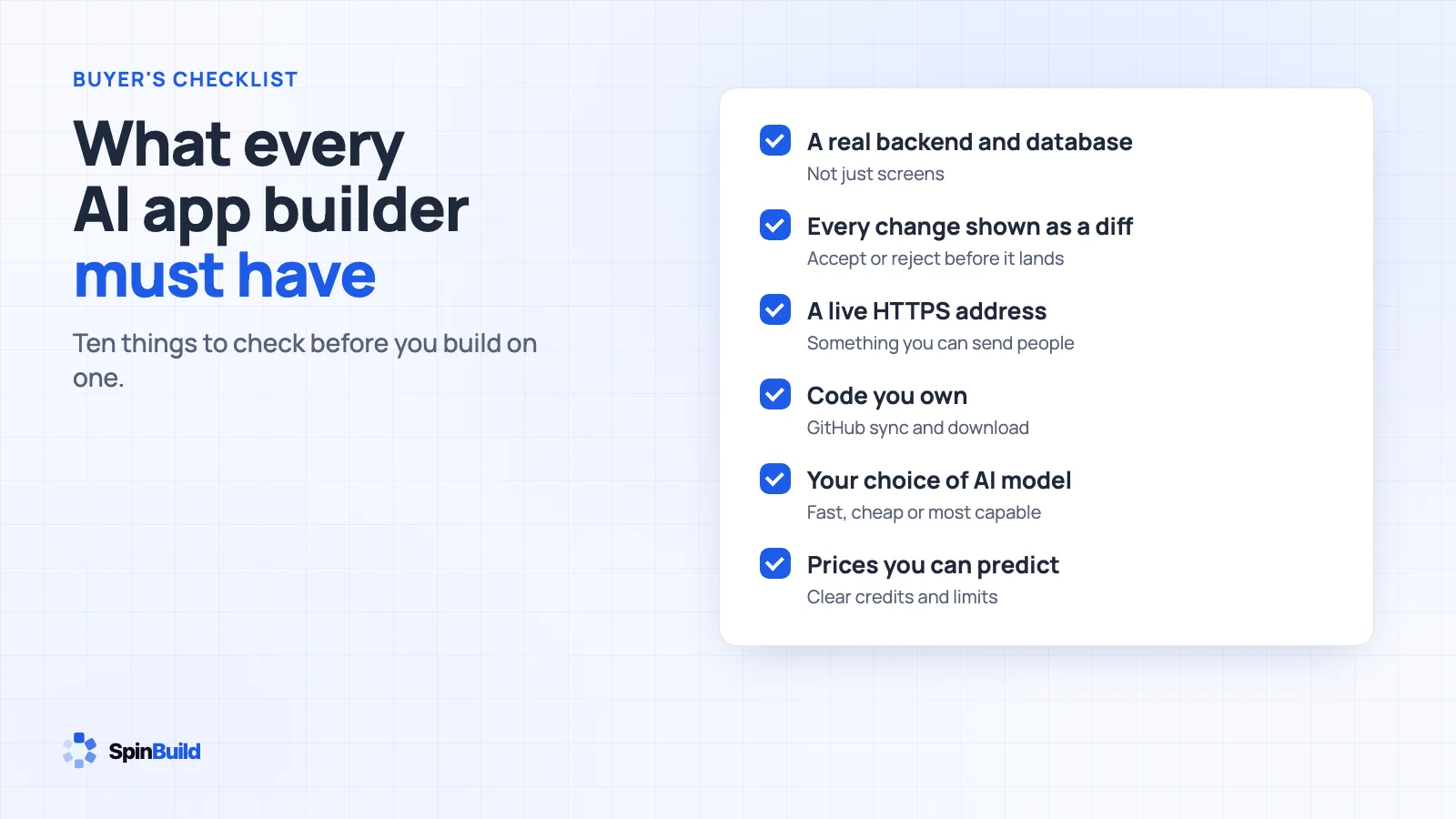
10 Essential Things an AI App Builder Must Have
The 10 things an AI app builder must have before you trust it with real users: a real database, reviewable changes, one-click publishing and code you own.
8 min · Nov 28, 2026
supabase
Postgres is the default. You can copy your tables to Supabase if you want.
Every SpinBuild app starts on private Postgres. If you would rather use your own Supabase, sign in and we copy the tables and rows over.
4 min · Nov 5, 2026
ai app builder
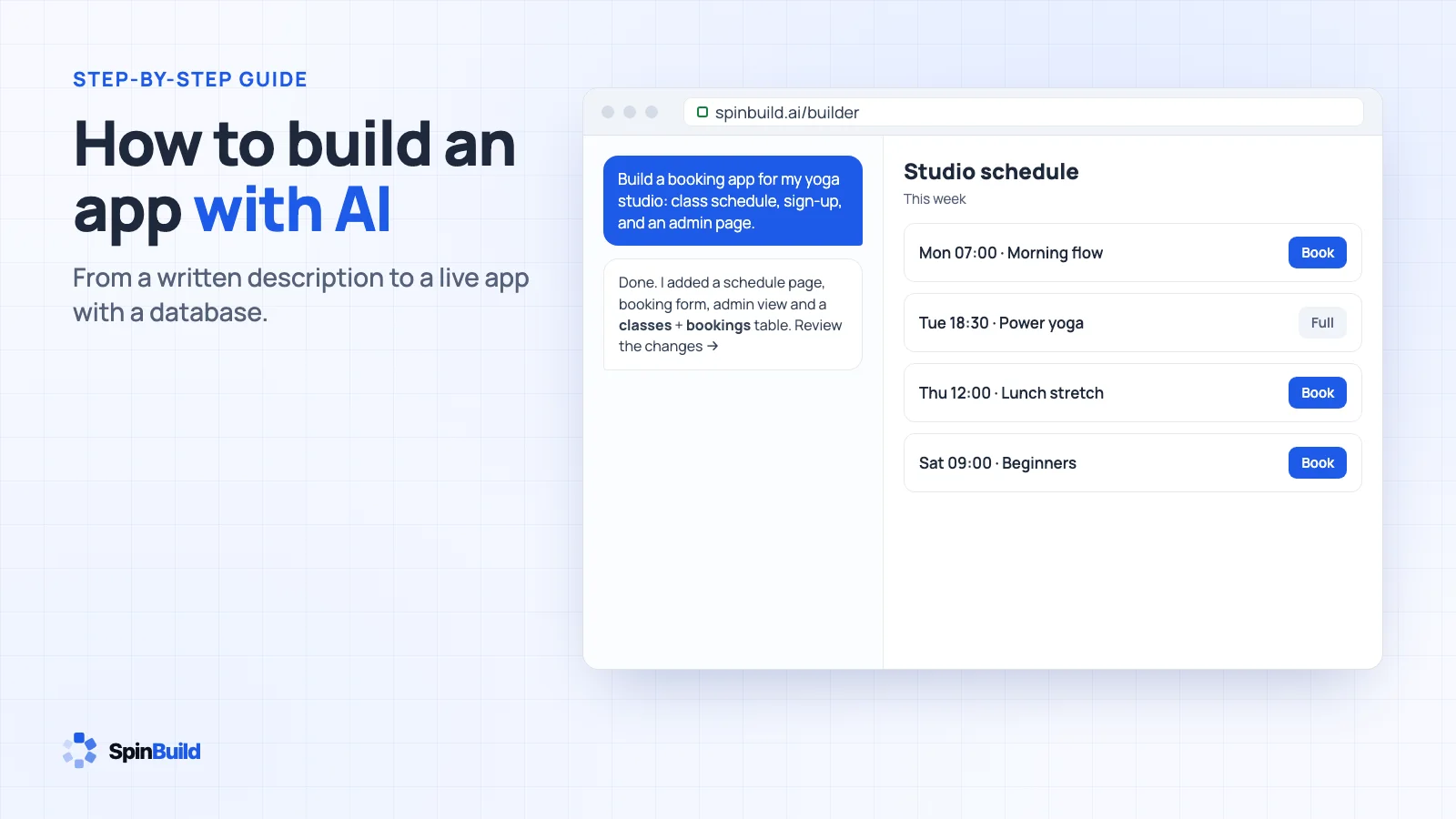
How to Build an App with AI: A Step-by-Step Guide
How to build an app with AI in six steps, from your first prompt to a live app with a database and sign-in. With a real example and the mistakes to avoid.
7 min · Nov 28, 2026
Comments
Join in. You don’t need an account.